Posts

Make a simple basic Keylogger in Python for Linux

Image
Keylogger is a program used to monitor keystrokes. the keystrokes are stored in a file somewhere. Lets say you want to see what other people were doing on your computer, when you were away. you can just start the keylogger and spy on them! A Keylogger can be used by a hacker to record sensitive information like usernames, password or credit card detail etc. NOTE: This piece of code should not be used for unethical means. if you do so you are on your own risk. I have written a very simple keylogger in python using pyxhook  module which is an implementation of  pyhook module (for Windows OS). Let's first see how to run the keylogger and after that we will understand how it is written. Read more »

Useful Apt-Get and Apt-Cache commands for Ubuntu/Debian/Linux Mint

Image
apt-get is a  package management command line tool. It is used to download, install & remove and update software packages that are on online repositories. On the other hand apt-cache is used to to search and get information about the packages available in the repository. Read more »

How to install and use Tkinter in ubuntu / Debian / Linux mint

Tkinter is a GUI module for python. you can use it to make GUI based applications in python. Tkinter provides several GUI widgets like buttons,menu, canvas,text,frame,label etc. to develop desktop applications.Though Tkinter is very popular and is included with windows, macosx install of python, There are also alternative choices like pyQt, wxPython... Read more »

How to Auto Indent a Program: Vim Tips & Tricks

In this tutorial we will see automatic vim editor indentation tips and more. Indentation makes a program readable as well as neat and organised. In python programming language indentation is used instead of curly braces or keywords which make code neat and concise. follow this tutorial and your coding life will become a little easier :) Note : If you haven't used vim before then see some vim basics HERE Automatically Indent a whole program! Let's say you made a 100 line code but didn't care to indent it. Here is how to do it in a very simple way. Read more »

Linux wc command: count characters, words, lines of a file

Image
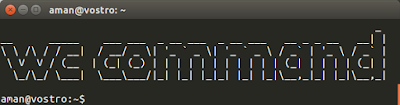
The wc command in unix/linux is used to print the number of characters, words, bytes and newlines of files or standard input. Syntax wc [OPTION] [FILE] Read more »

Best clipboard manager for ubuntu / Linux Mint: Diodon

Image
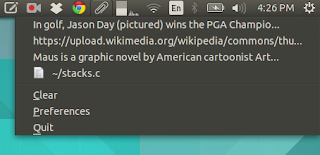
The clipboard is a temporary storage for your copied stuff which can be text, picture or any data to manage your clipboard you can use diodon Diodon is a lightweight clipboard manager written in vala. It is made for unity interface but also works fine in gnome, cinnamon and xfce. it is shown in the indicator in menu and all copied text appear in it once installed the diodon icon appears on the notification area Read more »

How to Change GRUB Boot Order in Ubuntu / Linux Mint

Image
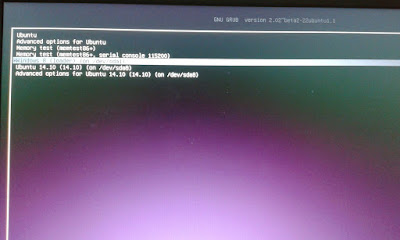
Let's see how to boot into a specific operating system by default in linux grub boot loader. When you install a new copy of linux OS on your computer by default you get booted into your linux partition after a time interval. But let's say you have dual boot with windows and you would like to boot into windows instead. Read more »